
How to deduct allowances from the legal mobility budget of your employees
Published on
April 7, 2026

Within the Mobility Hub, you are able to activate different kinds of allowances. Some of these allowances can be part of the legal mobility budget, meaning that your employees pay this allowance themselves with their own legal mobility budget.
Which allowances are part of this concept?
- Bike allowance
- Pedestrian allowance
How do you activate this?
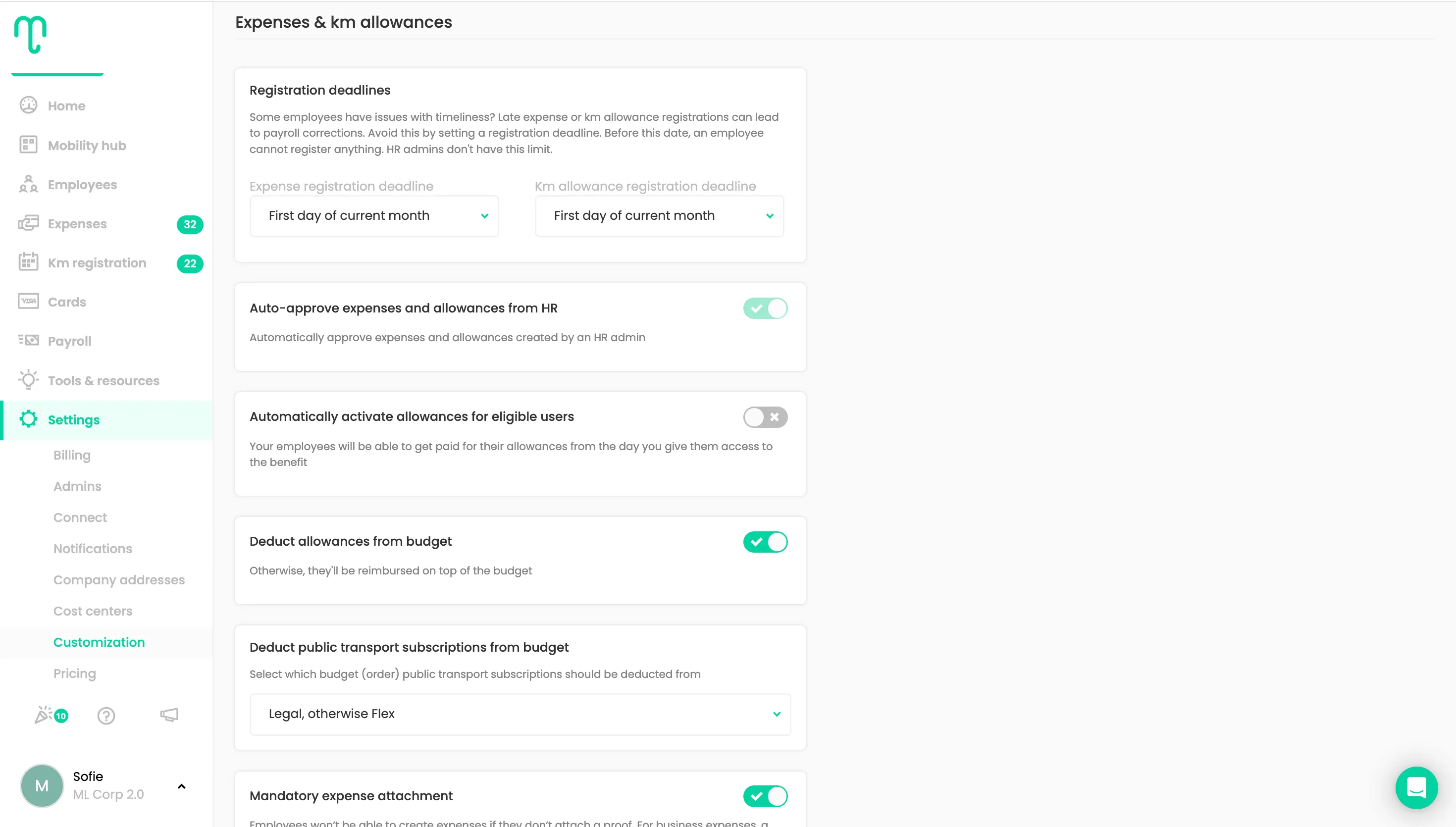
- Go to Settings > Customization
- Scroll down to Expenses & km allowances
- Turn on the toggle "Deduct allowances from budget"
Important to know!
Once you turn on the toggle, all bike and pedestrian allowances will be deducted from the budgets of your employees.
If you want to make a differentiation between employees (e.g. part of them should receive an allowance on top of their budget, and another part should have the allowance deducted from their budget), you need to use the feature User Groups (available as of the Scale Plan).